ASIO4ALL on GitHub and Where to Get the Installer
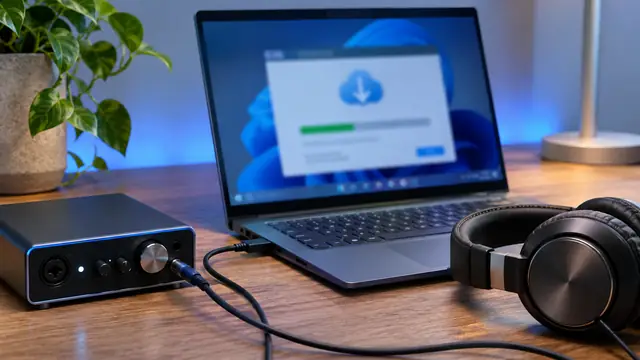
When you search for ASIO4ALL on GitHub, the results may include package manifests, setup scripts, discussion threads, or projects with similar names. The ASIO4ALL publisher lists its Windows installer on asio4all.org. Use that listing to verify the version and source before installing an audio driver.
In this guide
ASIO4ALL on GitHub: where the installer really comes from
If you search for ASIO4ALL on GitHub, you will find package manifests, setup scripts, discussion threads and projects with similar names, but the Windows installer itself is listed by the publisher on asio4all.org. The safest source is the publisher's download page, which pairs each version with its installer, release date and minimum operating system.
This guide explains what those GitHub results actually are, why a branch ZIP is not a driver installer, and how to check any link you find in a forum or script against the official listing. It is written by the ASIO4ALL guide team, not the publisher.
The short version
- The current release is ASIO4ALL 2.22, published July 23, 2026, as
ASIO4ALL_2_22.exe. - It is a multilingual Windows EXE for Windows 10 and Windows 11.
- After installation, hosts list the driver as ASIO4ALL v2.
- A GitHub search result is not, by itself, evidence of who owns the ASIO4ALL project.
What ASIO4ALL GitHub results usually contain
GitHub hosts many projects that mention ASIO4ALL because the driver is widely used with Windows DAWs. Most of them are not the driver at all. They reference it, automate its installation, or discuss problems with it.
Common types of result
- Package manifests that tell a package manager which URL to download and which version number to report.
- Setup scripts for studio or classroom machines that install a list of audio tools in one go.
- Issue threads in other projects, such as audio apps or game engines, where users mention ASIO4ALL as a workaround.
- Similarly named projects that build their own audio utilities and only share part of the name.
None of these changes where the driver itself comes from. A manifest or script is only as trustworthy as the URL it points to, so the useful question is always: does this lead back to the publisher's listing?
Note: A public package manifest can actually help you verify a source. Reading it shows the exact download URL a package manager uses, which you can compare with the official ASIO4ALL listing.
Understand a release versus a branch archive
GitHub can create a ZIP snapshot of a repository branch such as main. Its contents come from the branch's current commit, and the owner can update that branch later. As the GitHub documentation on source archives explains, these archives are generated automatically from the repository contents.
The archive format itself gives you no evidence of who owns the ASIO4ALL project or whether the files are a Windows installation package. A ZIP of scripts and text files will not install an audio driver, no matter what the repository is called.
Releases are different, but still need checking
A repository release can contain maintainer-uploaded files as well as automatically generated source archives. Uploaded files are chosen by whoever controls that repository. If a repository lists a utility for an audio workflow, check the author, the project description and where its instructions point for the underlying driver.
| Source | What it contains | Use it for |
|---|---|---|
| Publisher download listing | Versioned Windows installer, release date, minimum OS, release notes | Installing or updating the driver |
| GitHub branch ZIP | Snapshot of a branch's current commit, can change later | Reading a project's scripts or docs, not installing the driver |
| GitHub release assets | Files chosen by that repository's maintainer plus source archives | Tools from that project, after checking where they get the driver |
| Package manifest | Metadata and a download URL | Confirming which URL a package manager uses |
Use the publisher pages for setup
The official ASIO4ALL download listing pairs a specific version with an installer, release date and minimum operating system. The version 2.22 listing links to a multilingual Windows EXE, and the release notes explain what changed so you can confirm a file is relevant to your platform and host.
What changed in recent versions
- 2.22 (July 23, 2026): native ARM64 and ARM64EC support on Windows on Arm, improved dropout prevention in certain cases, and defaults that work with Qualcomm Aqstic mic array input.
- 2.21 (June 10, 2026): USB Audio Class 1 improvements at 44.1 kHz.
- 2.20 (April 27, 2026): an option to pause host audio from the system tray.
If a GitHub script or forum post names an older version, look it up in the publisher's release history first. Our ASIO4ALL version history summarizes the timeline, and the ASIO4ALL download guide walks through getting the current installer.
Tip: Keep the release page URL with your setup notes. It records both the version and the source in one line, which is exactly what you need when rebuilding a machine.
Check a download found in a discussion
A forum answer or GitHub issue can be useful even when its version is old. The trick is to separate the advice from the file. Keep the advice if it still applies, and get the file from the publisher.
A simple verification routine
- Note the version number mentioned in the post, script or manifest.
- Look that version up in the official ASIO4ALL release history.
- If the link points to a branch ZIP or an archive hosted by a third party, do not run it as an installer.
- Open the publisher's download listing and find the corresponding Windows installer.
- Check the minimum operating system and release notes against your PC, especially if you use Windows on Arm.
- Install, then confirm your DAW lists ASIO4ALL v2 and the tray icon appears when the host initializes the driver.
The full install process, including what to do if the driver does not appear, is covered in our guide to installing ASIO4ALL on Windows.
Watch out: An audio driver runs with system-level access. Avoid installers from download mirrors or re-uploads, even if the file name matches. Use the publisher's listing every time.
Developer resources and redistribution
Developers who land on an ASIO4ALL GitHub search are often looking for technical details rather than the installer. The publisher has a separate Developer Resources section for topics such as its private API and user registry settings.
When those resources help
Those pages are useful when you need to verify a technical reference from a community project. If a script sets registry values or calls into the driver, compare what it does with the publisher's own description before running it on a production machine.
Licensing and bundling
ASIO4ALL is free for end users, including commercial audio work such as paid sessions or podcast production. Resale and bundling are restricted by the publisher, so review the publisher's terms before repackaging or distributing the driver with your own software. Our is ASIO4ALL free guide explains the distinction in more detail.
Keeping several studio computers consistent
If you manage multiple studio computers, record the publisher's release page and installed version alongside the host and Windows version. This gives the next person a reproducible source for setup and a starting point when an update changes behavior.
A minimal setup record
| Field | Example entry |
|---|---|
| Driver source | Publisher listing for version 2.22 |
| Installed version | 2.22 |
| Windows | Windows 11, x64 or ARM64 |
| Host | DAW name and exact version |
| Audio settings | 48 kHz, 256 samples (≈ 5.3 ms per buffer) |
If you use a package manager or deployment script, keep the manifest or script in your own version control and note the URL it downloads from. When a new ASIO4ALL release appears, update the record only after testing one machine with a short session at your usual sample rate and buffer.
Rolling out an update safely
Treat a driver update like any other studio change. Pick one machine, install the new version from the publisher's listing, and open a project you know well. Play the same passage you always use for testing and listen for clicks, dropouts or a change in monitoring delay.
If the test machine behaves, roll the update out to the rest of the room and update your setup record. If it does not, note the symptom, the WDM Device List status and the buffer in use, then compare with the release notes before deciding whether to wait for a later build. Our ASIO4ALL documentation guide explains which manual chapter to read for each kind of symptom.
Confirm the installed driver matches the listing
Whichever route you used to find the installer, finish by confirming that what runs on the PC is what the publisher lists. This takes a minute and catches most mix-ups between old scripts, cached installers and the current release.
Quick checks inside your DAW
- The ASIO device list in your host shows ASIO4ALL v2.
- The system tray icon appears once the host has initialized the driver.
- On version 2.20 or later, the tray offers the option to pause host audio.
- The control panel opens from the host and lists your WDM devices.
If the tray pause option is missing, you are running a build older than 2.20, which usually means an outdated installer came from a script, a cached download or a forum link. Reinstall from the publisher's listing and check again.
Frequently asked questions
The publisher lists the ASIO4ALL Windows installer and its developer resources on asio4all.org. Treat any GitHub repository as a third-party project unless the publisher's own pages point to it.
A branch ZIP is a snapshot of a repository's files, not a Windows driver installer. Use the versioned EXE from the publisher's download listing instead.
Check the manifest to see which URL the package manager downloads from and which version it reports. If it does not match the publisher's listing, install from asio4all.org directly.
The driver is free for end users, but resale and bundling are restricted by the publisher. Review the publisher's terms before repackaging or distributing it.
Sources and further reading

We write expert, hands-on guides for Windows musicians, podcasters and producers. Driver facts are checked against the publisher's manual and release notes; DAW steps against each vendor's documentation.